
Step Thirteen: Expanding dissections
If you want to look at the transformations of your own dissections, you can use GCE (another tool in ClaW). GCE consists of a browser for OpenGALEN models, and a separate GRAIL editor with an integrated GRAIL compiler. In GCE you can interactively make composite concepts, but it can also be used to compile the GRAIL sources of the OpenGALEN model, which can be downloaded here.
In the following walkthrough, we are going to look at the OpenGALEN concept for the dissection Elective left pneumonectomy for mycobacterial lung disease.
Start GCE, and open the OpenGALEN model, using Model/Open.. or the appropriate button.
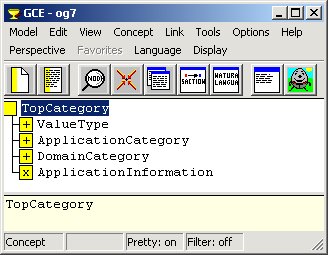
We could try to find the concept by expanding the branches in the browser, but this will be an almost impossible task. The search might be a bit shorter when we start at the concept SurgicalDeed, under which our dissections should appear. Press  and search for the concept SurgicalDeed. You'll see a long list of surgical deeds, which you can expand to find the desired concept.