
Step Fifteen: Templates
The learning curve of endusers can be further reduced by defining dissection templates in GirC. These templates define the structure of the desired dissections and help endusers to specify their dissections in the desired form. As an example, we shall define a template that allows dissections of the form:
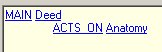
MAIN Deed
ACTS_ON Anatomy
In GirC activate the Templates tab.
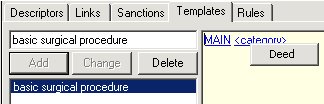
Enter a name for the template, e.g. basic surgical procedure, and press Add. A new template is created, consisting of the one link MAIN <category>.
Click <category> and a menu appears with the category Deed. This is the only category allowed to follow the link MAIN, according to the previously defined sanctions. Select Deed: MAIN <category> is replaced by MAIN Deed.
Press Add on the right of the template window. A new link <link> <category> is added. Press the  button to indent the new link.
Click <link>: a menu with the allowed links appears.
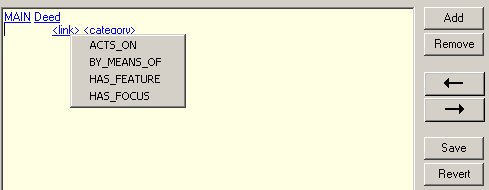
Select ACTS_ON, for <category> select Anatomy. The template should now look like this:
NB: Press Save to save this template.